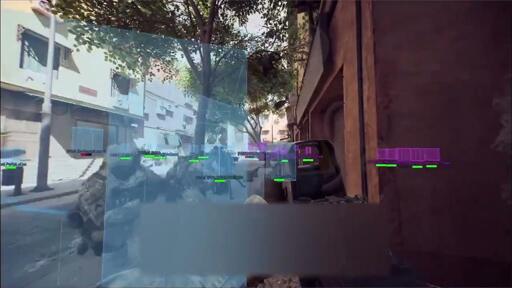
Destide@feddit.uk to Games@lemmy.worldEnglish · 7 months agoBattlefield 6 cheats day 1 of early access. Depite kernel level anti cheat, forced secure boot TPM 2.0youtu.beexternal-linkmessage-square212linkfedilinkarrow-up1508arrow-down110cross-posted to: linux_gaming@lemmy.worldgaming@beehaw.org
arrow-up1498arrow-down1external-linkBattlefield 6 cheats day 1 of early access. Depite kernel level anti cheat, forced secure boot TPM 2.0youtu.beDestide@feddit.uk to Games@lemmy.worldEnglish · 7 months agomessage-square212linkfedilinkcross-posted to: linux_gaming@lemmy.worldgaming@beehaw.org
minus-squarejjjalljslinkfedilinkEnglisharrow-up11arrow-down1·7 months agoIf you have physical access you could go into the bios and turn off secure boot
minus-squarePHLAK@lemmy.worldlinkfedilinkEnglisharrow-up7arrow-down2·7 months agoIf you enable Secure Boot you should also set a BIOS password for this very reason.
minus-squareSaleh@feddit.orglinkfedilinkEnglisharrow-up12arrow-down1·7 months agoSo, if you set a bios password either way, which benefit does secureboot give?
minus-squarejjjalljslinkfedilinkEnglisharrow-up5arrow-down1·7 months agoI think you can reset a bios password by taking the CMOS battery out or something?
minus-squareAlphaOmega@lemmy.worldlinkfedilinkEnglisharrow-up4·7 months agoNot sure if this works these days, but on older systems there was a reset bios config jumper and pulling the cmos battery.
minus-squareMiaou@jlai.lulinkfedilinkEnglisharrow-up1·7 months agoCan’t access the bios with secure boot on (at least I could not on an old laptop I was refurbishing, thank god the owner could login into windows)
minus-squarejjjalljslinkfedilinkEnglisharrow-up1·7 months agoThat’s unusual, I think. Every computer I’ve had that had it on, I was able to turn it off when I went to install Linux.


If you have physical access you could go into the bios and turn off secure boot
If you enable Secure Boot you should also set a BIOS password for this very reason.
So, if you set a bios password either way, which benefit does secureboot give?
I think you can reset a bios password by taking the CMOS battery out or something?
Not sure if this works these days, but on older systems there was a reset bios config jumper and pulling the cmos battery.
Can’t access the bios with secure boot on (at least I could not on an old laptop I was refurbishing, thank god the owner could login into windows)
That’s unusual, I think. Every computer I’ve had that had it on, I was able to turn it off when I went to install Linux.