- cross-posted to:
- selfhosted@lemmy.world
- selfhosted@lemmy.world
- cross-posted to:
- selfhosted@lemmy.world
- selfhosted@lemmy.world

Me again :P
Honey, I Shrunk The Vids is a streamlined video conversion tool built on FFMPEG, with smarts built in for standardising all files put through it to a standard target bitrate into either .mp4 or .mkv containers, in either h.264 or HEVC format. Comes in GUI for desktop and CLI for headless operation. The idea is that you can point it at a folder full of folders full of videos and hit “Start”, and trust that when it’s through you’ll have videos compatible with devices back to ~2014, smaller (or at least no bigger) than they were before, and with accurate MKV tags where appropriate.
The application has gone through some more major revisions since my last post, and I thought people would like to know! The first thing you’ll notice is the visual refresh:
Screenshots
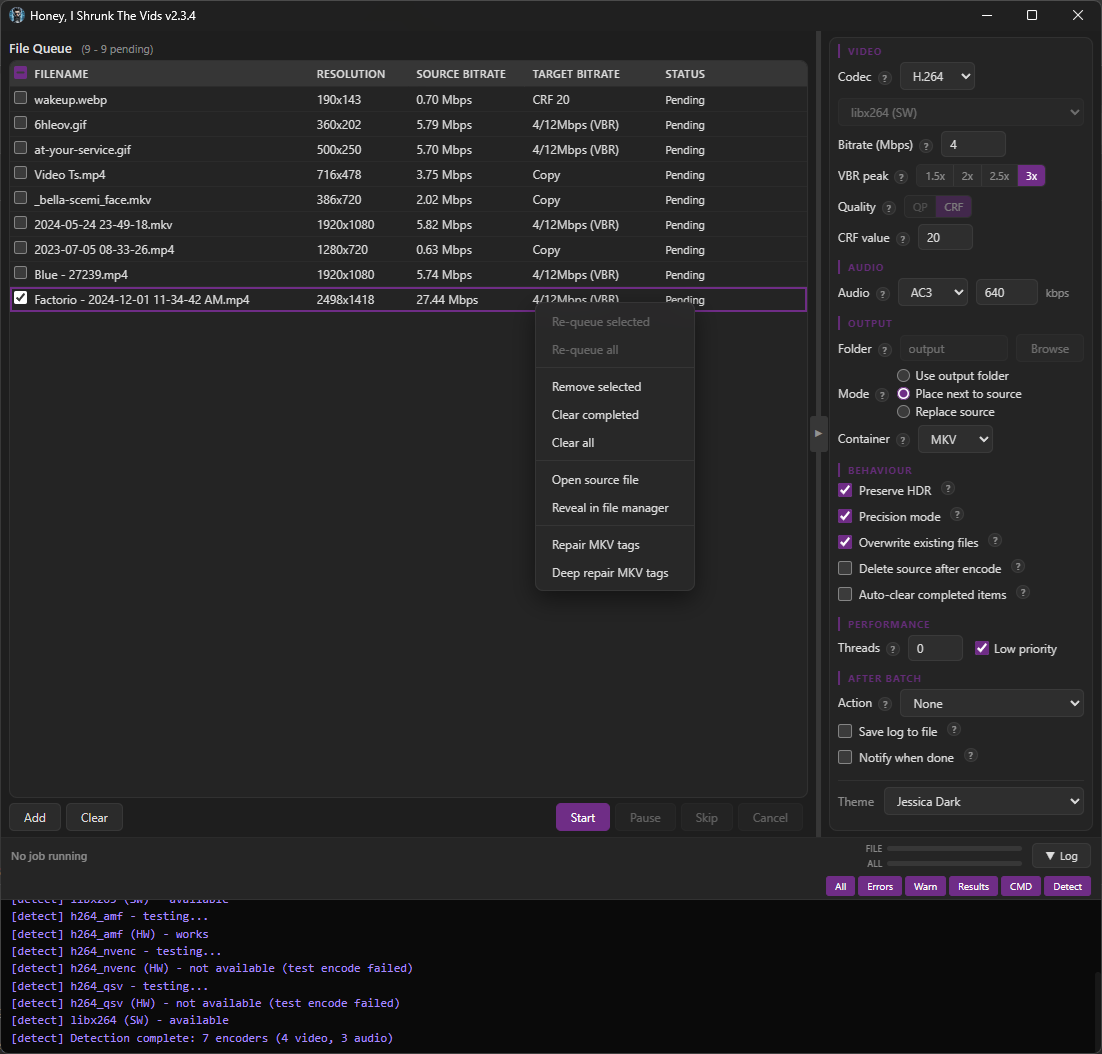
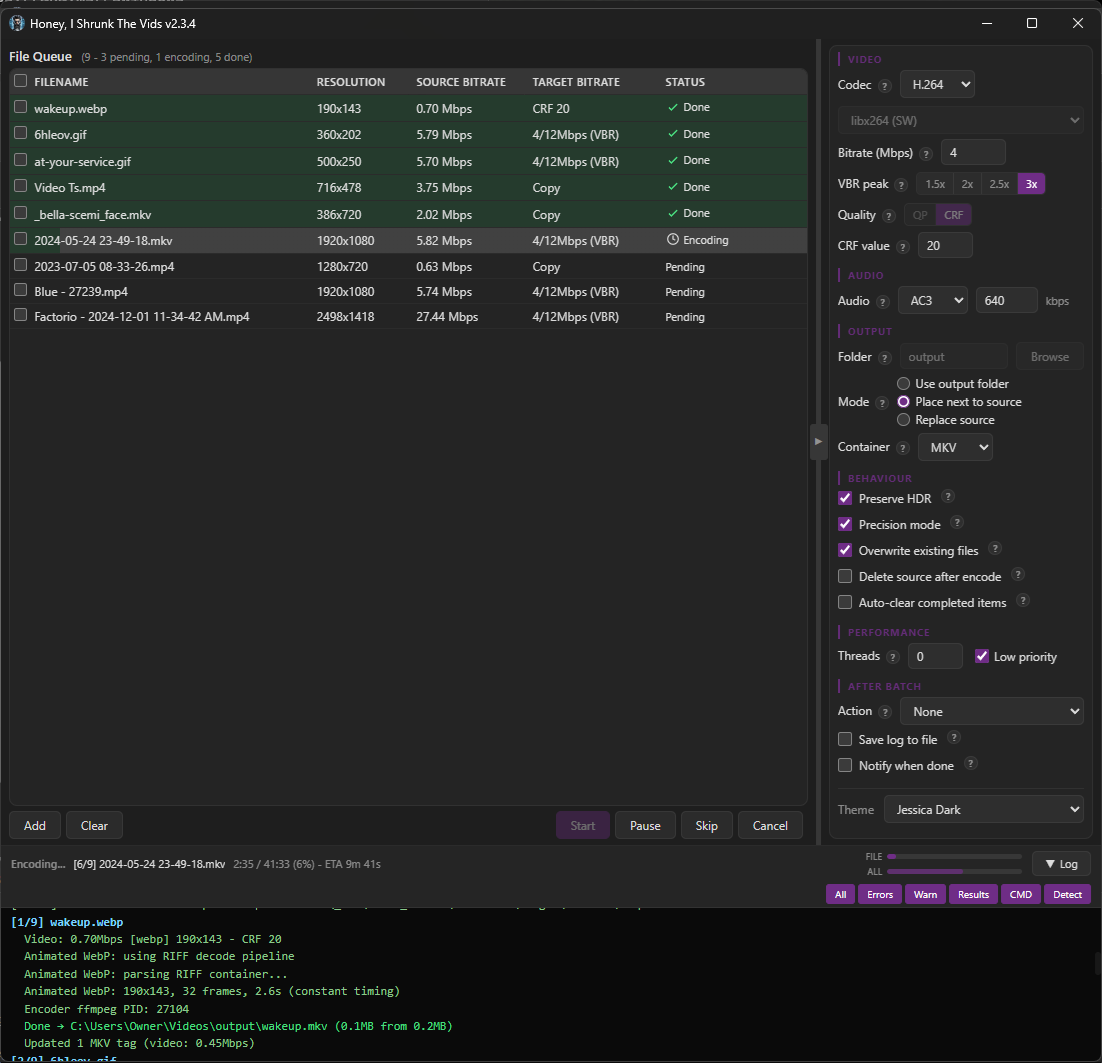
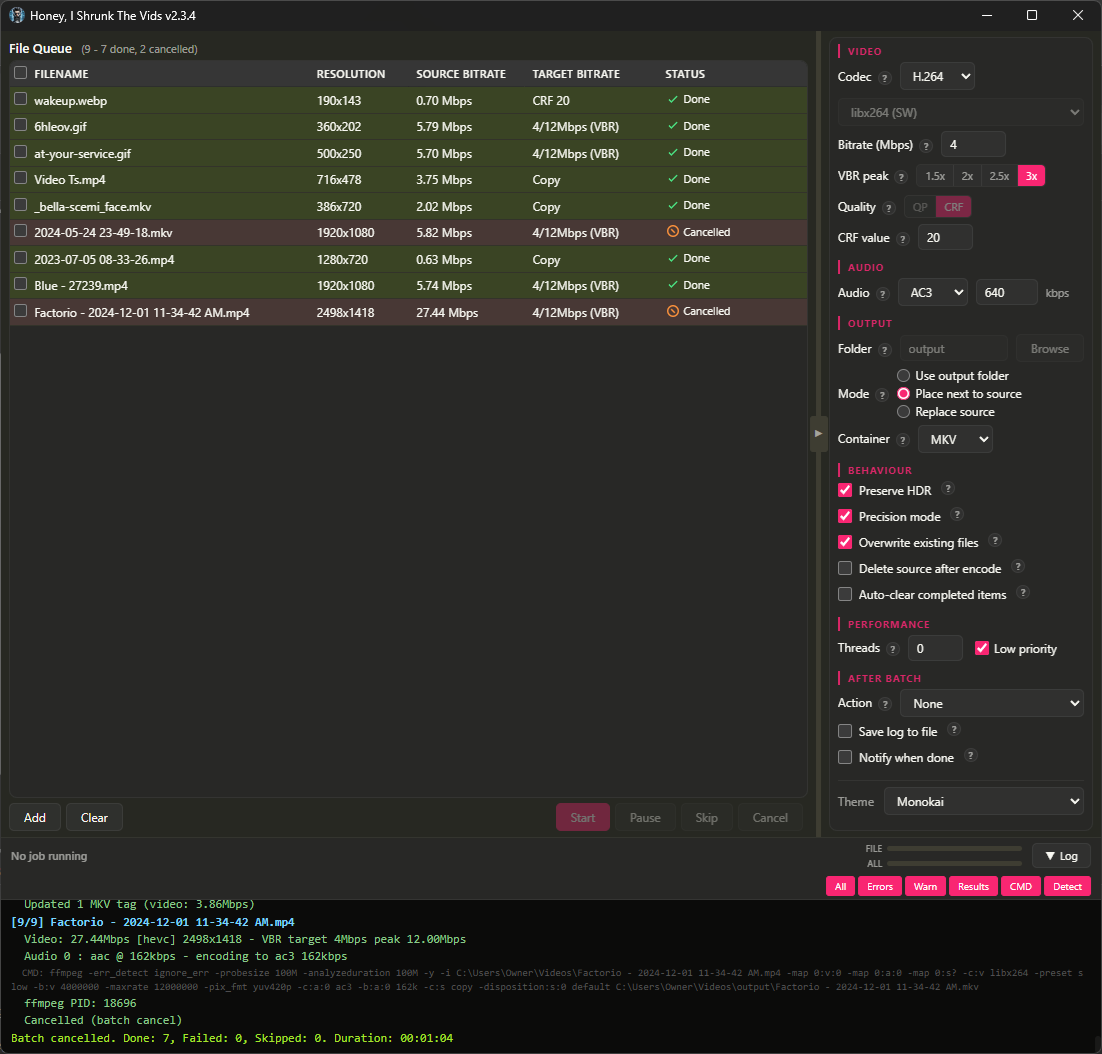
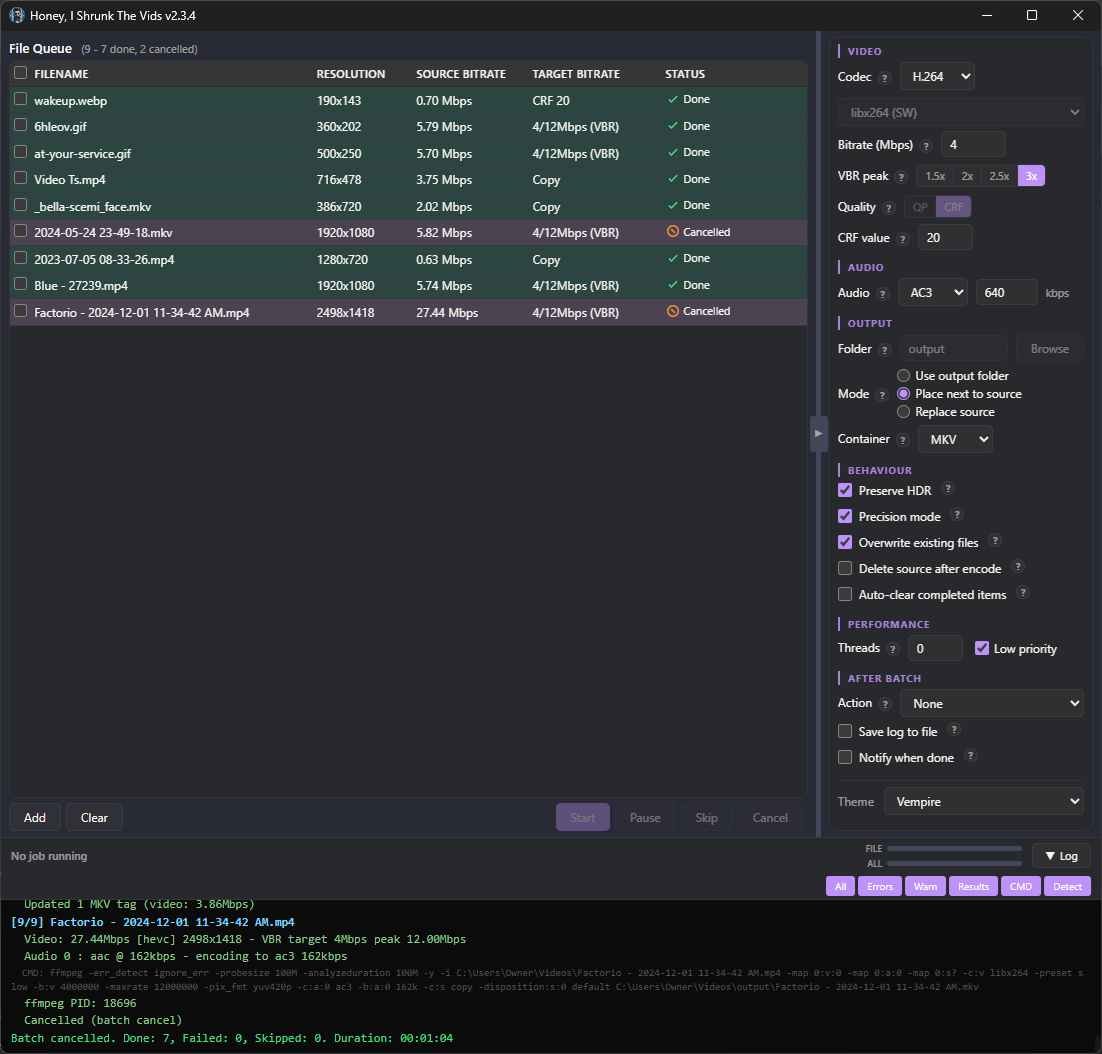
There are no more menu tabs; all options are exposed in a single side panel. Also, I added exotic filetypes for inputs: mts, mpg, mpeg, vob, flv, 3gp, 3g2, ogv, rmvb, rm, asf, f4v, y4m, apng, webp. That’s right, you can convert basically anything FFMPEG supports to convert to MKV or MP4!
I’m particularly proud of the webp support. FFMPEG can’t decode animated WebP natively (or at least, the most popular binaries can’t; maybe someone has a fork that’s fixed it), so HISTV:
- Parses the RIFF container itself,
- Decodes each frame through ffmpeg’s static WebP decoder,
- Composites them with correct alpha blending and disposal, and
- Pipes the result to the encoder.
Temp files are completely avoided for storage/IO reasons; variable frame timing is preserved, so smooth per-frame progress is retained from source.
The one filetype I left out was .yuv, because that’s raw data, no container or headers, and the user would have to enter the correct dimensions for each video (which defeats the core purpose of Honey, I Shrunk The Vids, so it’s out of scope for this project).
The theme engine has been simplified, with only 6 keys down from 16, and everything named more intuitively so it’s easier to tell what changes what. As well, a Linux user reported their FFMPEG wasn’t discovered properly, so ffmpeg discovery now uses login-shell PATH resolution (previously macOS only), fixing detection when ffmpeg is installed to locations like ~/.local/bin.
Bunch of bugs got squished (for example the encoder would switch when toggling the new “Precision Mode” checkbox), and several more efficiency passes were made with more hand-edits than ever. This is the cleanest, leanest build yet, and the most featureful.
Finally, I added “-full” versions for each platform. These come bundled with FFMPEG, if you want just a single download.
Also, I’ve flirted with the idea of signing the Windows executable so Windows Defender stops complaining about it, but I don’t yet see a reason to give Microsoft money for that. You can just click “More Info”, and then “Run Anyway”.
I’m running out of ideas for future updates, but if anyone has requests just drop a comment or open up an issue! And, as always, I’m here for questions. I hope you find it useful!
You must log in or register to comment.
- Love the project name.
- This looks close to what I’ve imagined coalescing my hand conjured ffmpeg scripts into.
- I’d like to feed this into a pipeline that includes Subler or equivalent.
deleted by creator
I use Subler mostly as a metadata acquisition and injector tool, and secondarily as a M4V remux sanitiser. The subtitles function is more a subset of its stream management, and is much less relevant than its name implies. That said, it does do a very competent job at converting, through OCR, DVD and BluRay bitmap subtitles to ASCII variants required for MP4 containers.
I think it only works in macOS, which makes it difficult to understand its purpose when you don’t have that platform readily available. Ideally it would have a CLI/TUI which would lend it better to script integration.
deleted by creator
Nice job and congrats on the webp parser. You made Converseen but for videos :)
Windows cert -> you can also give your money to other companies, the cert doesn’t need to be from MS. But who cares, ask Windows users to buy it for you if they choose to continue using that OS.
deleted by creator
Since you’re still a Windows user at least for now, and assuming that you’re planning on continuing to be open-source, I can recommend Certum for this. https://shop.certum.eu/open-source-code-signing.html
I gave up trying to initialize the USB thingy using Linux (I tried regular Arch [btw] and an Ubuntu distrobox IIRC), but once I got through the initial steps using Windows, I was able to sign ongoing builds with Linux just fine. It took a LOT of trial and error since there seem to be very few people who simultaneously
- pathologically dislike using Windows regularly
- still want to make it easier for people on Windows to minimize Windows Defender complaints when running software that they build
- have the motivation and resolve to send a lot of PII to one of a handful of companies whose longtime business model is based around reputation and trust in order to get a usable certificate
- are stubborn enough to go out of their way to still figure out how to do a subset of this stuff on Linux
- are capable of actually succeeding at that, and
- are willing to show how they did it in a way that should be reasonably easy enough to understand and adapt to your situation
I didn’t renew after my first year - I switched from publishing an executable to publishing it on the web, so I no longer had a need for it - so I don’t know how things have changed (if at all). Most of my information came from eventually stumbling upon this wiki page for a Ruby-based tool where they figured out the last bits I needed to get it to work.
- It also has instructions for initializing the USB thingy on Linux too, so if I were to renew, I’d give that a fair shot… but seeing “icedtea” and a link to a web application that no longer resolves, I’d still only recommend it if you can use a Windows machine once a year.
deleted by creator
I envy you so much, I used to love programming. Enjoy the process and the firsts!
Good luck with your eventual transition to Linux! Check in with Lemmy communities if you want help with anything!
Hello!
If you want a bigger challenge, try solving the Dolby Vision vs HDR10+ fight between Samsung and LG/Sony.
I haven’t seen anyone with a fully compatible solution yet. Im in the process of building some Tdarr plug-ins based off of this repo
https://github.com/nichols89ben/Tdarr_DoVi_ProcessingThe goal is to take source content that contains either DoVi profile 4,5,7,8 or HDR10+ and output a mp4 or mkv that contains the base HDR10 layer along with BOTH HDR10+ and DoVi 8 additional streams, and then test on various players to see if they can utilize those streams correctly for the ones they support.
This topic goes quite deep so be prepared to get sucked in. Your existing tickbox for “preserve HDR” probably doesn’t work at all for DoVi profile 5.
deleted by creator
deleted by creator
One thing I’d like to see from an app like this is “force the video into an arbitrary file size limit” with a list of priorities to do so defined by the user. Say I’ve got a video I want to send over Discord (10mb limit) but I’m not intending for the vid to be fullscreened by the recipient so scaling it down to like 480x480 would be fine.
deleted by creator
As an inspiration for this, look into Two-Pass encoding
deleted by creator
Damn, I had no clue about this single-pass look ahead, all this time I’ve been doing two-pass for nothing 😵💫
Thanks!
Any plans for a flatpak by chance?
deleted by creator
Thanks. I have trust issues so I don’t typically install software directly off someones github. I know flatpak/flathub isnt perfect but if its a verified flatpak then I at least know someone smarter than me at least reviewed the project and additionally, I know I can restrict the applications permissions with flatseal.
deleted by creator
deleted by creator
Great work! Would it be possible to support AV1/Opus in future versions?
deleted by creator
As someone who has been obsessed (read: a perfectionist) with video encoding for the longest time, this looks incredible. Nice work! I’ll give it a shot!
deleted by creator
Really cool idea, I have a basic tdarr setup which is pretty similar, do you know what other features this would have that are not found on tdarr
deleted by creator
Has anyone tried this? OP, have you? Is it fast? I have a tv show that I’ve ripped from blue-ray. It is 600GB and I wanted to save some space, but whenever I try to convert, it’s awfully slow. I have a pretty beefy setup, Ryzen 7 5800xt CPU and a 9070xt GPU.
deleted by creator
Thank you so much. It’s literally the TV show Friends. I bought the Blu-rays for the whole 10 seasons years ago and I remember using MakeMKV app. It’s high quality because I ripped them to the highest the app allowed I remember but they take so much space that moving them around from that slow hdd I have them on takes literal hours. So, knowing what kind of show it is, what settings do you suggest?
deleted by creator
Awesome. Thank you. I’m going to move them onto my nvme one season at a time and make the conversion so we don’t have to deal with the slowness of the HDD
afaik if you want to retain as much quality as possible while saving space you do want to do it on the CPU (so not hw accelerated - slow)
Could you please expand on that? What do you mean?
Help out a newbie. I currently use handbrake, is this meant as an alternative?
deleted by creator
I just use handbrake to make vids smaller for jellyfin. I will give HISTV a try!
deleted by creator
Really excited to try this. Handbrake always too daunting for me. Currently putting it into a docker container - couple of requests:
- looks like the auto detect fails to see GPU passthrough on docker container. I’m assuming I can force it and ignore the auto detect?
- I pointed it at a 7 season show on my NAS from a work server node. It appears to be copying everything over before starting the encoding. Could this be chunked? I’d like to eventually point this at all my media and let it run
EDIT: Looks like it was my doing on the GPU docker stuff. Need to follow steps to enable GPU on docker then need the following arguments:
--gpus all -e NVIDIA_VISIBLE_DEVICES=all -e NVIDIA_DRIVER_CAPABILITIES=compute,video,utilitydeleted by creator
deleted by creator
Pretty cool project, thanks for sharing! Could this be used with Sonarr and Radarr, so newly downloaded vids get automatically converted?
deleted by creator
That’s amazing, thank you for the explanation and link!
So, I wanted to try the app and it is giving me the EGL rendering whatever issue :/ Could you please make another post once you’ve fixed this issue.
deleted by creator
I was in the comments of the GitHub issue, kalzEOS. I’ll be trying it out when I got time. Appreciate it.
deleted by creator
I haven’t really had the time to convert many. Just one and It is just sitting there at 0% for a long while then it starts converting and the ETA is 22 hours for a 8GB movie. A couple notable things also: 1. the ui is kind of too small for a 4k screen and there is no way to adjust it. 2. this could very well be a user error, but I can’t, for the life of me, find where to set the output file type. I want to convert an mkv to mp4 or something but I can’t find that at all. 3. at the top of the right panel, there is this line that says “Extracting MP4Box…” that never goes away. 4. when I try to convert a movie (mine are all 4k HDR), a window pops up that tells me that DV tools not found, then offers me to download it, but nothing really happen when I click to download it. Could that be why that “Extracting MP4Box…” is sitting there at the top? This is on Cachy OS linux btw.
deleted by creator
Remind me of the hardware you’re running on?
I have a Ryzen 7 5800xt for the CPU, and an RX 9070xt for the GPU
or you have Precision Mode enabled
never checked that box
if you see “libx265” or “libx264” in the top right
Yes, that is what I have now libx265(SW) - HEVC
Can I ask which version you downloaded?
histv-linux-full.AppImage
One additional thing that might or might not be the app’s fault, but I use an app called App Manager to install and integrate my appimages into my system, but it is having an issue with the .png image of the app. Just wanted to let you know about that. Your doesn’t have an icon when it is downloaded, only when it is launched. so it just looks like a file with a generic file icon in my downloads folder.