


Update : there is a poll about how you want to desatived customized community by mods. Please voice your ideas ;) https://piefed.social/c/piefed_meta/p/1956838/how-do-you-want-disabling-community-themes-to-work
Hi !
With the update of that allows mods to change their community theme, i just wrote a wiki page that browse almost all Piefed customization options for users.
There is some rough edge but it is mostly complete. The profile section lacks some details :
https://piefed.social/community/fediverse/wiki/piefed-user-css
With the CSS, you can remove vote button, emojis reaction, the logo of your instance, change font, change theme and also create a new theme…
Look what you can get when you play around. :3
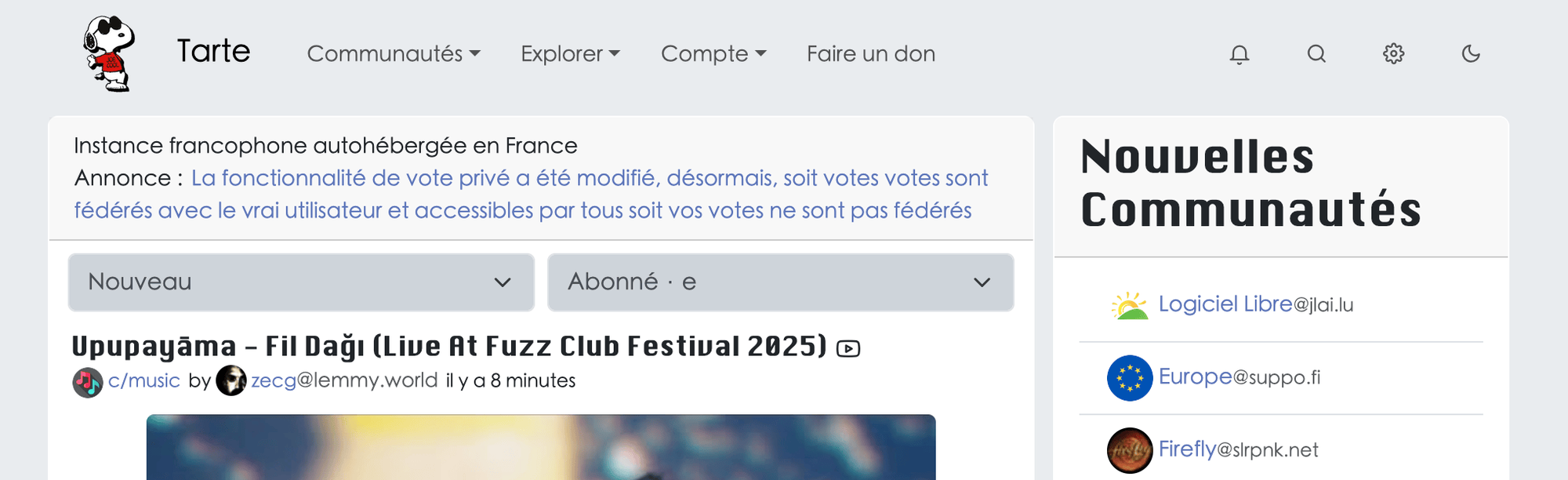
The original instance : https://tarte.nuage-libre.fr/
Check this community too : !piefed_css@piefed.social
Good reading ! :)
You must log in or # to comment.
Excellent, thank you!
Just what I was looking for. I’m a complete moron when it comes to all this 1337 h4x0r stuff. I asked for help some time ago but I guess the people who replied assumed I know at least something about CSS, even though I tried to make it clear that I know absolutely nothing about any of it.
Anyways, off to copypasting I go!
That’s not easy but i hope the wiki is clear. If there are part unclear, you can told me where. I do my best to reach and help new users ^^
The most difficult thing is to find the css name attributed to : body text, title, buttons… if we want to change it.
To find this css name, we do a "reverse engenering " by reading the website source code.
We use the web browser (on desktop) and open web dev tool. Then inspect the element we want to change : title, text, thumbnail, vote button…
The most difficult thing is to find the css name attributed to : body text, title, buttons… if we want to change it.
To find this css name, we do a “reverse engenering " by reading the website source code.
Yup this is what I had issues with. I found the correct info in the view page source thing but for whatever reason couldn’t get (all) the things working as intended. But your wiki helped, I now have the colors set to how I like. Thanks :)