It’s not a big deal, I just wondered if there was an easy fix moving forward. I would guess if you are screenshotting a pdf and saving as a jpg, the pdf might already be using a jpg in which case the jpg compression is working on what is already jpg compression. An easy fix might be to save the screenshot as a png instead of jpg, which might be good for this kind of image anyway. (Unless it’s already blurry… I just saw your other reply.)
I looked ahead a couple pages and that one panel appears to be the only one with artifacts. Now I am not wearing my reading glasses, so i could be wrong.
Jpg always has artifacts, it’s just a matter of whether they are noticeable and how much we want to consider acceptable. I can see smugding in the panel you showed in a previous comment such as around the GH in slaughter, and on the leftmost character’s forehead. I don’t consider that problematic though.
The image in the Lemmy post does seem to be jpg, so if you are uploading a png, maybe something is converting it.
Anyway I’m not trying to make your life harder, I appreciate you posting these for us, and can live with imperfection.


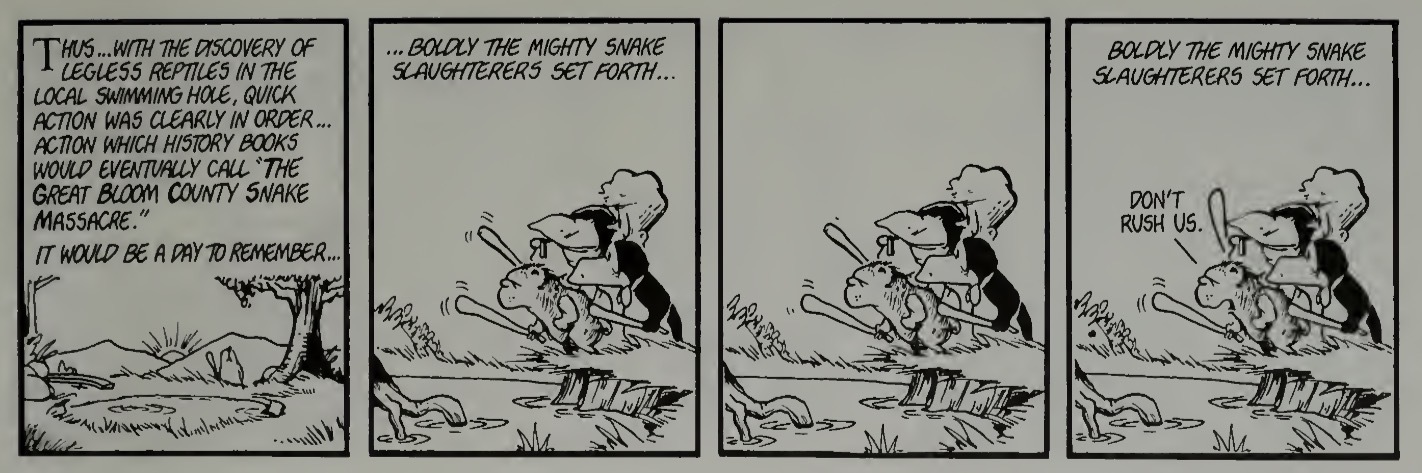
I will try to dig up my copy of Toons For Our Times and scan this strip to replace today’s image.
It’s not a big deal, I just wondered if there was an easy fix moving forward. I would guess if you are screenshotting a pdf and saving as a jpg, the pdf might already be using a jpg in which case the jpg compression is working on what is already jpg compression. An easy fix might be to save the screenshot as a png instead of jpg, which might be good for this kind of image anyway. (Unless it’s already blurry… I just saw your other reply.)
iOS saves my screenshots as a PNG already.
I looked ahead a couple pages and that one panel appears to be the only one with artifacts. Now I am not wearing my reading glasses, so i could be wrong.
Jpg always has artifacts, it’s just a matter of whether they are noticeable and how much we want to consider acceptable. I can see smugding in the panel you showed in a previous comment such as around the GH in slaughter, and on the leftmost character’s forehead. I don’t consider that problematic though.
The image in the Lemmy post does seem to be jpg, so if you are uploading a png, maybe something is converting it.
Anyway I’m not trying to make your life harder, I appreciate you posting these for us, and can live with imperfection.
I want these to be the best they can be so everyone can enjoy them.
It appears it may be iOS converting the png screenshot to jpeg when it uploads. If I save to files then upload it remains png. I will try that.
relevant discussion