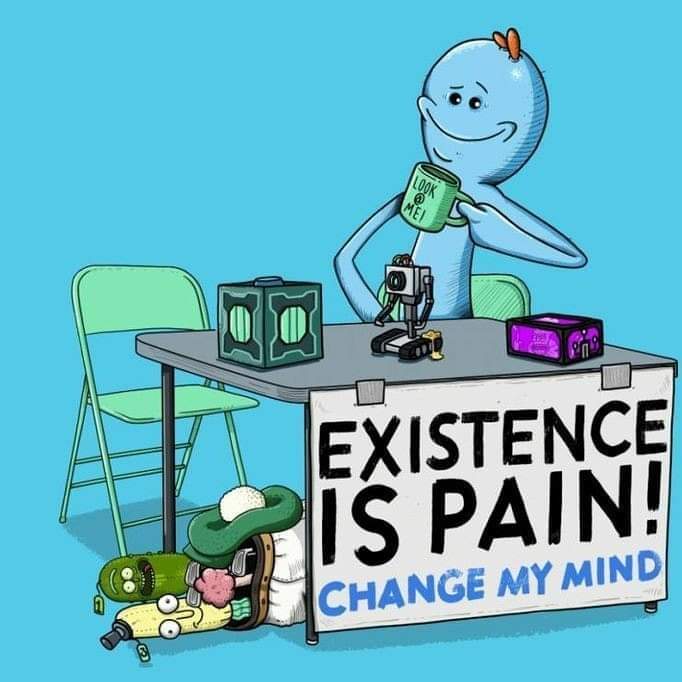
A Jesus icon.
Jesus saves.
I’ve seen HDD icons as a replacement for the floppy.
HDD or a folder is open, floppy is save, surely?
In calibre, HDD icon is for “save to disk”, but I’m sure I’ve seen icon sets or other apps where HDD was used to save.
SD card. Half is old timers won’t even realize it’s not a floppy disk.

Yet 90% of young people won’t know what it is because digital cameras have been replaced by phones and phones no longer have microSD lol
Gotta give the next gen something to complain about.
I think we should just keep the floppy disk symbol at this point, because it doesn’t matter what it was originally based on or whether that exists any more–everyone knows what that symbol means, and it can’t really be confused with anything else.
There’s no point making an icon that looks like any other particular kind of storage device since those are changing all the time. So we either have to pick some real world thing like a safe or warehouse or grain silo or whatever. or invent some completely new symbol that’s not related to anything and then everyone would have to learn it. Which takes us back to just keeping the floppy disk symbol.
grain silo
This is a hilariously awkward suggestion. At the scale of the average save icon, what do you think a grain silo symbol would look like?
like this?

drawing a grain silo doesn’t mean you have to draw the grains.
I reject the question. That’s not a picture of a floppy disc, that is the glyph that means save
You literally called it the save symbol. And that’s what it is…100 years from now, if we’re still around and still have computers, the save icon will still be some stylized glyph based on the floppy disc
The existence of the floppy disc is already just a bit of trivia about the save icon
It’s like asking what we should change the Bluetooth symbol to? Why do you yearn for the world to burn?
An icon can be any random glyph, but it has to stay recognizable and consistent in meaning, that’s the entire concept here
What till people find out what “dashboard” originally meant.

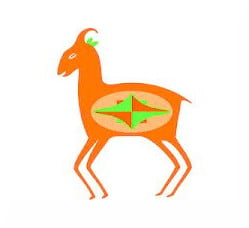
By OP’s logic, this
#A
is a drawing of an ox head.
Hope you are right.
But really the Save icon will become: ✨
thats’s the Google AI icon
“All your base (data) are belong to us” -Google AI
… Why is the generative llm glyph here? nervous
⬇️ or

To me this means download
Thats for downloading though.
That’s for downloading though.
Right.
When you grab something from somewhere else and do “what” with that thing you “downloaded?”
Like what are you doing with that file? ***ing it to your hard drive of some kind… what do you call that?
To **** a file you downloaded?
“Downloading” is how you acquire any external data to your internal storage media.
What are we doing to the file? ****Ing it?
I’m not downloading when I save a file I edited locally on my computer.
But like, what if, you’re like … “downloading” the file … from memory … to disk? … man?
You take an online thing and make it local.
I understand how some younger folk might not see as stark a contrast in saving v downloading.
I’d say if you’re 30+, you prolly do.
“Downloading” is how you acquire any external data to your internal storage media.
Aaahhaha. I didn’t even read that bit before writing my first lines, and that only confirms my doubts.
Never seen these, eh?

You can curse on Lemmy.
You a bot?
Edit: Oh, I see it now.
They aren’t censoring swearwords. 5they are blanking it out to make a point about the word save.
Thanks for pointing out. I totally missed that.
Need to disambiguate between saving locally and saving directly to cloud storage.
If Windows gets their way you don’t!
the final fantasy 7 save crystal. because just look at it. LOOK AT IT!
It’s so goofy looking lol
But I like the floppy disk save symbol

What a save!
Chat disabled for 3 seconds.
Okay.
Wow!
This is the correct answer.
Core memory. It’s non-volatile.
Reel to reel tape? Ahahaha
A PSX Memory Card, because that would be awesome.
Just remove it all together and use only keyboard shortcuts
Animated Save Album from Mario and Luigi Partners in Time:

I cant find a gif of this, but the rainbow section is supposed to be animated, and the book opens when you hit (click) it.
An arrow pointing into a folder, similar to this. Sidesteps the tech issue altogether.

I mean, you’re just replacing one archaic symbol with another.
I agree. I heard recently a lot of kids under 20 grew up in an iPhone, iPad, and chrome world and never learned “folder” or directory concepts so it’s a tough transition in the work world. Paper organizers are not nearly as ubiquitous as they once were.
I still use folders to organize paper documents. Taxes and medical stuff mostly.
Normal people call computer directories ‘folders’.
Which predate computers and floppy disks
It connects it to another computer symbol, the folder which is seen plenty of times as the thing containing files. It’s a solid solution.
Yeah, if an open folder icon means ‘open a file’, then this inversion means saving the file.
Isn’t that used as an icon for moving a file from one folder to another?
i think in that case your should first click on a “folder with arrow going out” (move out) icon before given this one to move into another directory. so the context is clear.
Yea replace the 90s tech icon for the filing cabinet paper folder , from who knows when. It’s actually a good suggestions this technology still hasn’t disappeared. But it will soon, as foretold by the paperless office prophecies. So I think a half buried treasure chest icon would be better as a forever lasting icon.
That’s a good one for local storage.
Some software uses that arrow with a cloud to say it’s saved into the cloud.
We should do away with directories. Just one big block of files.
Screw multiple files, just use one big one. Just append anything you want to add and you’ll have everything in 1 spot
PalmOS actually did that. Programs had records saved in a central database, not files.
Makes sense. Then you can add some kind of index to the file so you can jump to the parts you want. Just track a list of chunks, so they don’t have to be contiguous.
Yeah, and we could give that huge file some kind of internal and logical structure to find those chunks, maybe something hierarchical with human readable names!
Yeah! Now we’re cooking! I bet we could really improve resiliency and seek times with different data structures, too. B trees?
Or maybe we could keep the flat structure and have some kind of syntax for querying the data… some kind of structured language.
You’ve basically invented OneNote
Crap, I was hoping to invent file systems.
Easy to find saves time
I don’t want you to take this as hyperbole: go away and never come back, Google
Yes look everything up by
keyworddescribing its contents to AI agent.
Is there an icon that expresses the default cloud save location as well as the circuitous GUI you need to navigate yo select your desired location on local storage?